

Finding your way around
NixDent opens on your dashboard. The same bar across the top is on every page.
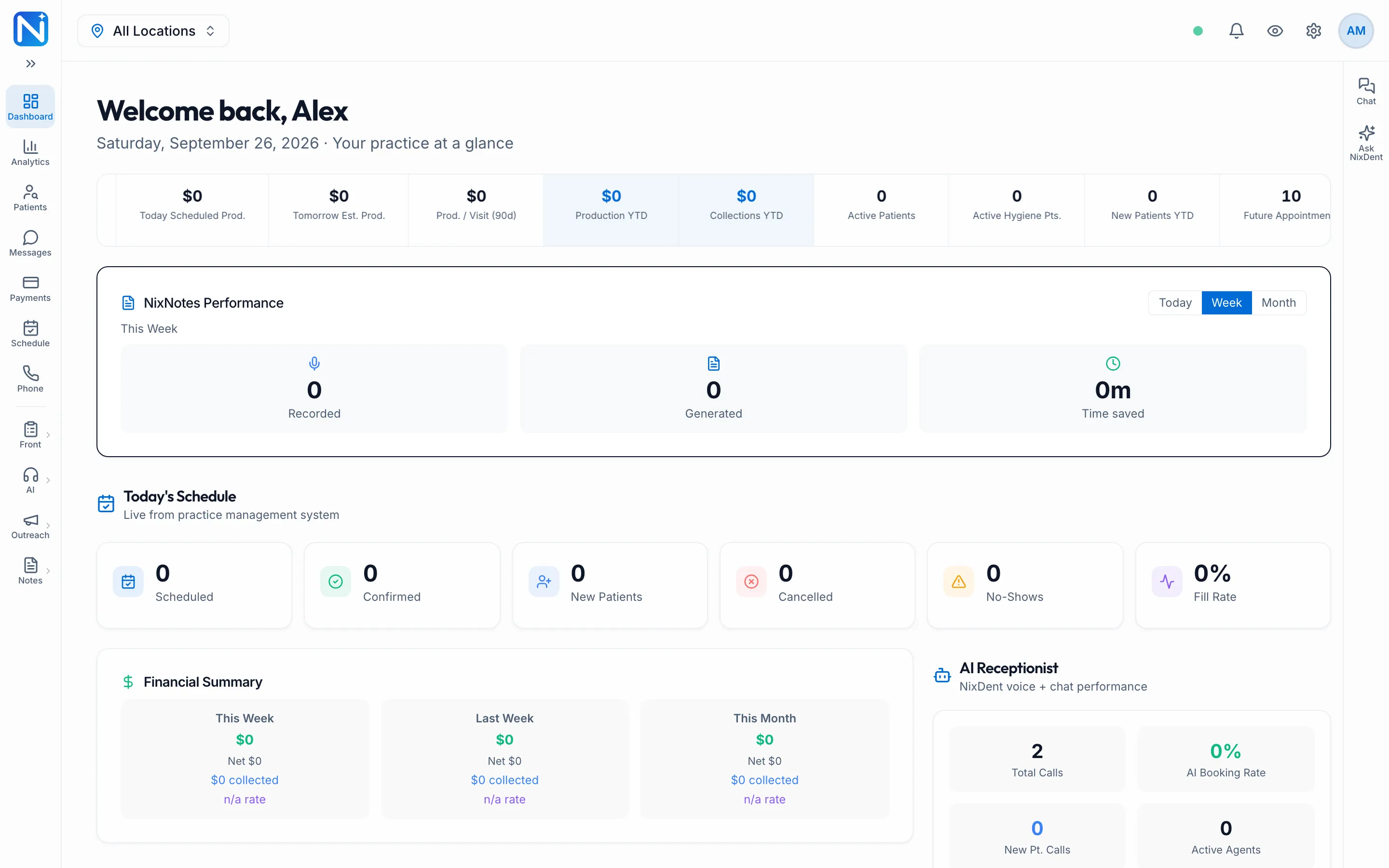
- Location picker (top left): choose one office, or All Locations to see everything you have access to.
- Bell: alerts for you, such as a call that needs a call-back.
- Gear: Settings. See Settings at a glance.
- Your initials: your profile, sign-in and security, and sign out.
- Chat (right edge): message your coworkers.
- Ask NixDent (right edge): ask questions about your practice’s numbers in plain English. You only see it if your practice has Ask NixDent and you’re allowed to use it. See Give someone Ask NixDent.
What you see depends on your role
Section titled “What you see depends on your role”Everyone sees the pages their role allows. For example, Front Desk doesn’t see clinical notes, and only an Owner sees the NixDent subscription. If a page you need is missing, ask your office manager to check your roles. See Roles and what they allow.