

Hours, holidays and closed days
Who can do this: Owners and Office Managers.
Your hours decide when the AI receptionist and online booking offer appointments. Closures are the days you’re shut even though you’re normally open, such as holidays, staff training or a snow day.
Go to Settings → Practice → Hours and closures, and pick the office at the top right.
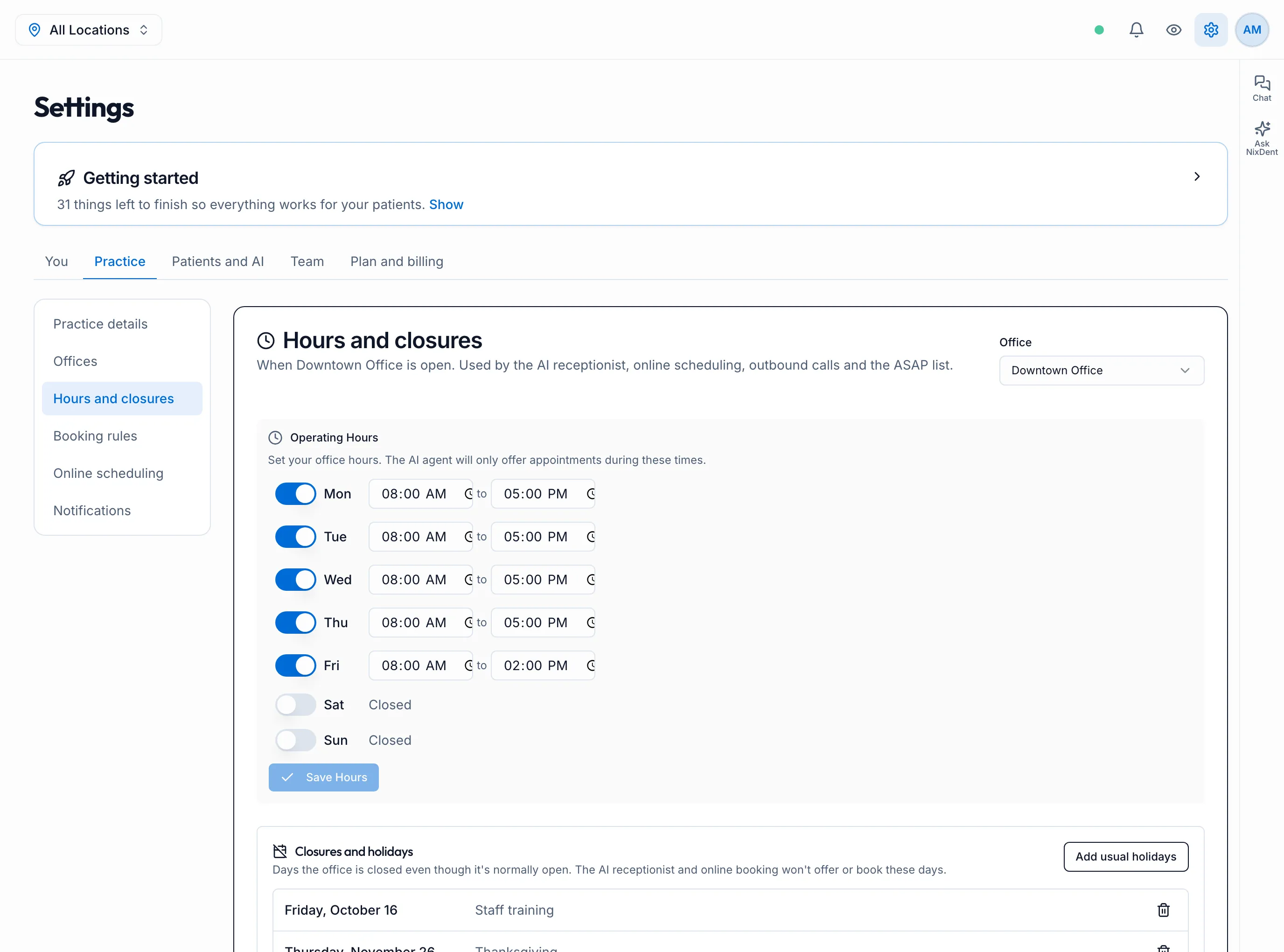
Set your weekly hours
Section titled “Set your weekly hours”- Turn each day on or off with its switch. A day that’s off shows Closed.
- For open days, set the opening and closing time.
- Click Save Hours.
Add holidays and closed days
Section titled “Add holidays and closed days”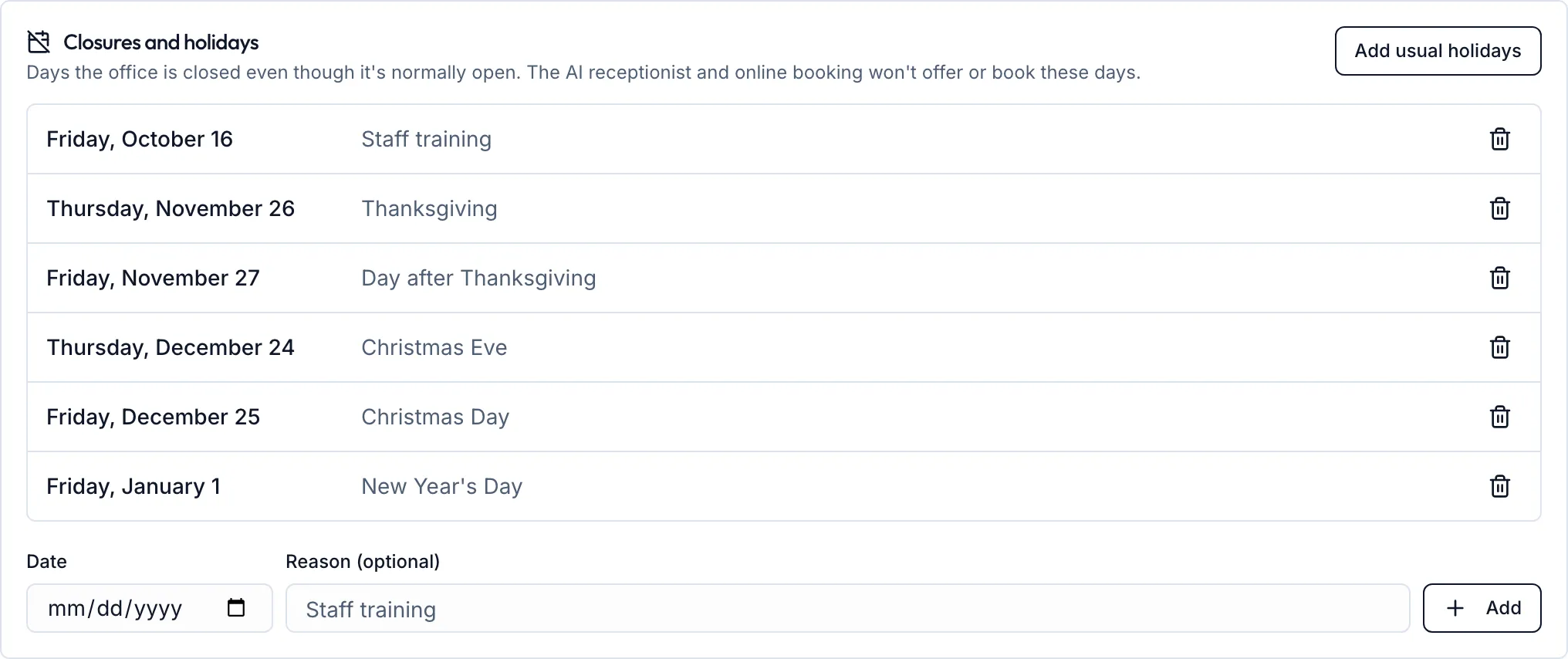
- Add usual holidays fills in the next 12 months of US holidays: New Year’s Day, Memorial Day, Independence Day, Labor Day, Thanksgiving and Christmas Day. Remove any you stay open for with the trash icon.
- To add one day, pick the Date, type a Reason if you like (for example “Staff training”), and click Add.
- Click Save closures when you’re done. Nothing changes until you save.
After saving:
- Online booking and the AI receptionist stop offering those days. The AI also won’t book them if a caller asks directly.
- The AI can tell callers why: “We’re closed on the 26th for Thanksgiving.”
- Your NixDent phone system treats them as holidays too.
Past dates drop off the list on their own.