
Call summaries and the huddle brief
Who can do this: Owners and Office Managers.
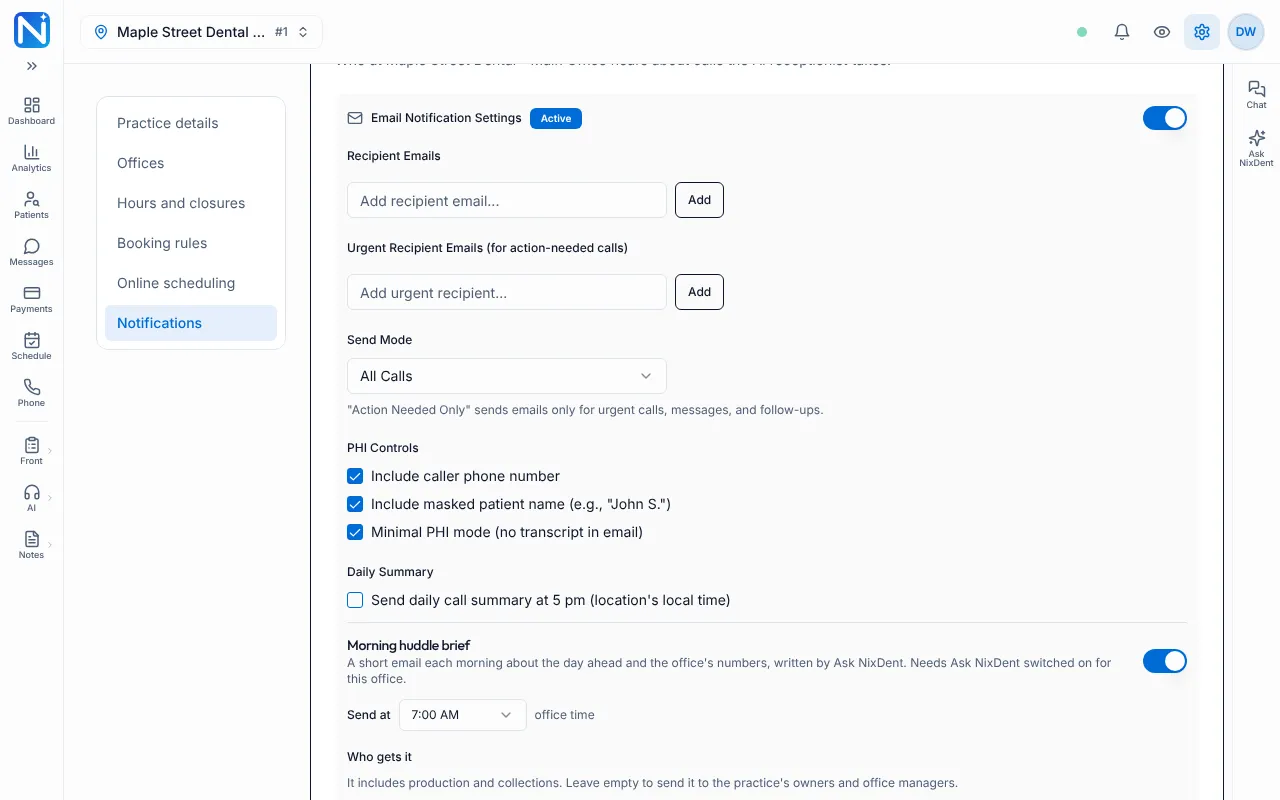
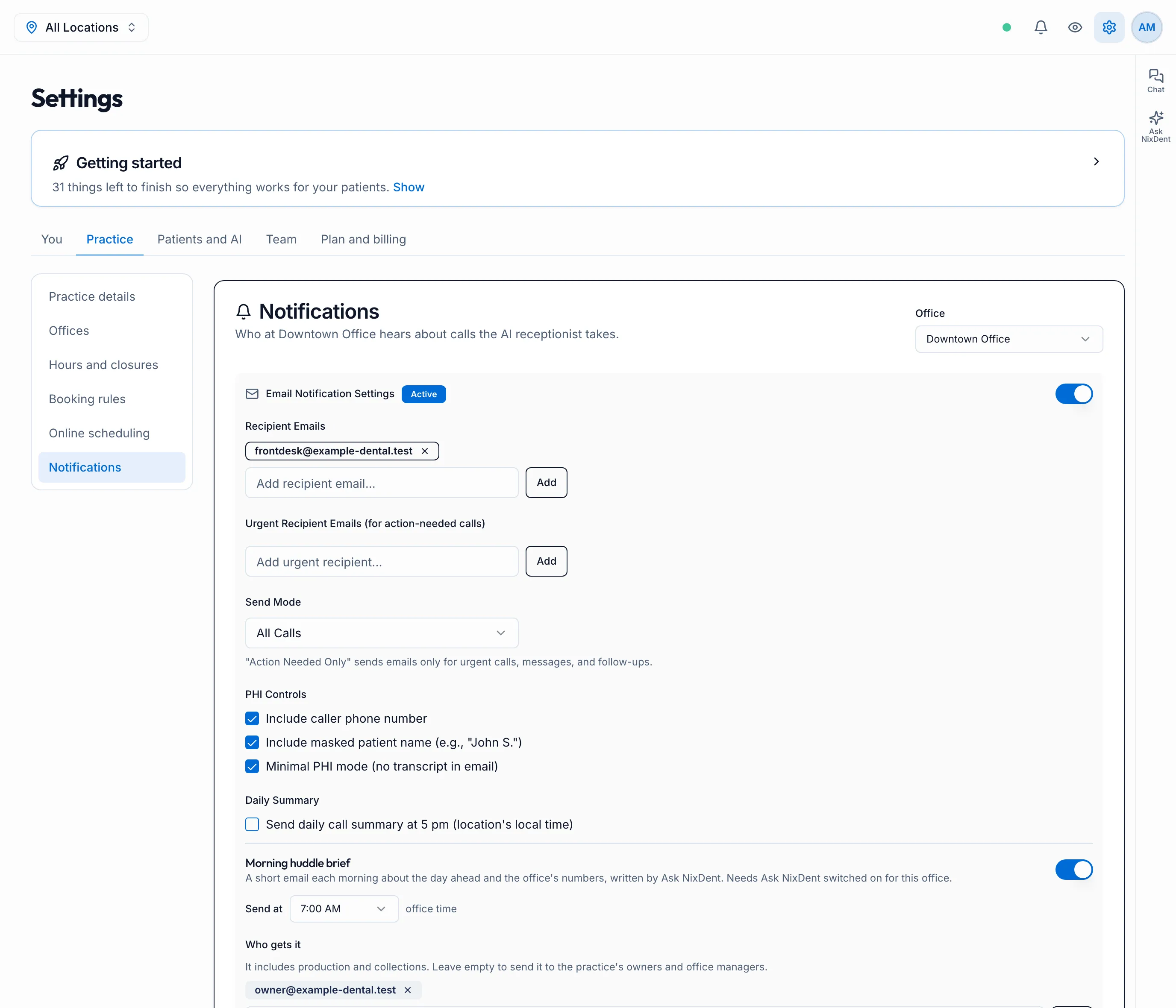
Go to Settings → Practice → Notifications, and pick the office at the top right.
Call summary emails
Section titled “Call summary emails”- Switch Email Notification Settings on. A new office starts with call summary emails off, and the recipient boxes only appear once you switch it on.
- Under Recipient Emails, type an address and click Add. Add as many as you need.
- Under Urgent Recipient Emails (for action-needed calls), add anyone who must hear about calls that need action, such as a call-back or an emergency.
- Choose a Send Mode:
- All Calls: an email after every call.
- Action Needed Only: only urgent calls, messages and follow-ups.
- Click Save Notification Settings. A bad address shows “Invalid email”.
Messages the AI takes also appear in Messages (the Calls filter). See How the AI receptionist handles calls.
The checklist item Call summaries reach someone is red while summaries are off, or on with no email address.
Keeping patient details out of email
Section titled “Keeping patient details out of email”The PHI Controls decide how much is in each email. On a new office all three are ticked, so the transcript is left out unless you untick Minimal PHI mode:
- Include caller phone number
- Include masked patient name: shows “John S.”, never the full name.
- Minimal PHI mode: leaves the call transcript out. The full call is always in NixDent.
Daily summary
Section titled “Daily summary”Tick Send daily call summary at 5 pm (location’s local time) for one email with the day’s calls.
Morning huddle brief
Section titled “Morning huddle brief”A short email each morning about the day ahead and the office’s numbers, written by Ask NixDent.
- Turn it on with the switch, and choose Send at (office time). The choices run from 5:00 AM to 10:00 AM, and the default is 7:00 AM.
- Who gets it: add addresses. Leave it empty to send it to the practice’s owners and office managers.
- It includes production and collections, so only add people who should see those.
- It needs Ask NixDent switched on for the office. The switch shows even when Ask NixDent is off, with the note “Needs Ask NixDent switched on for this office.” See Give someone Ask NixDent.
Click Save Notification Settings when you’re done.