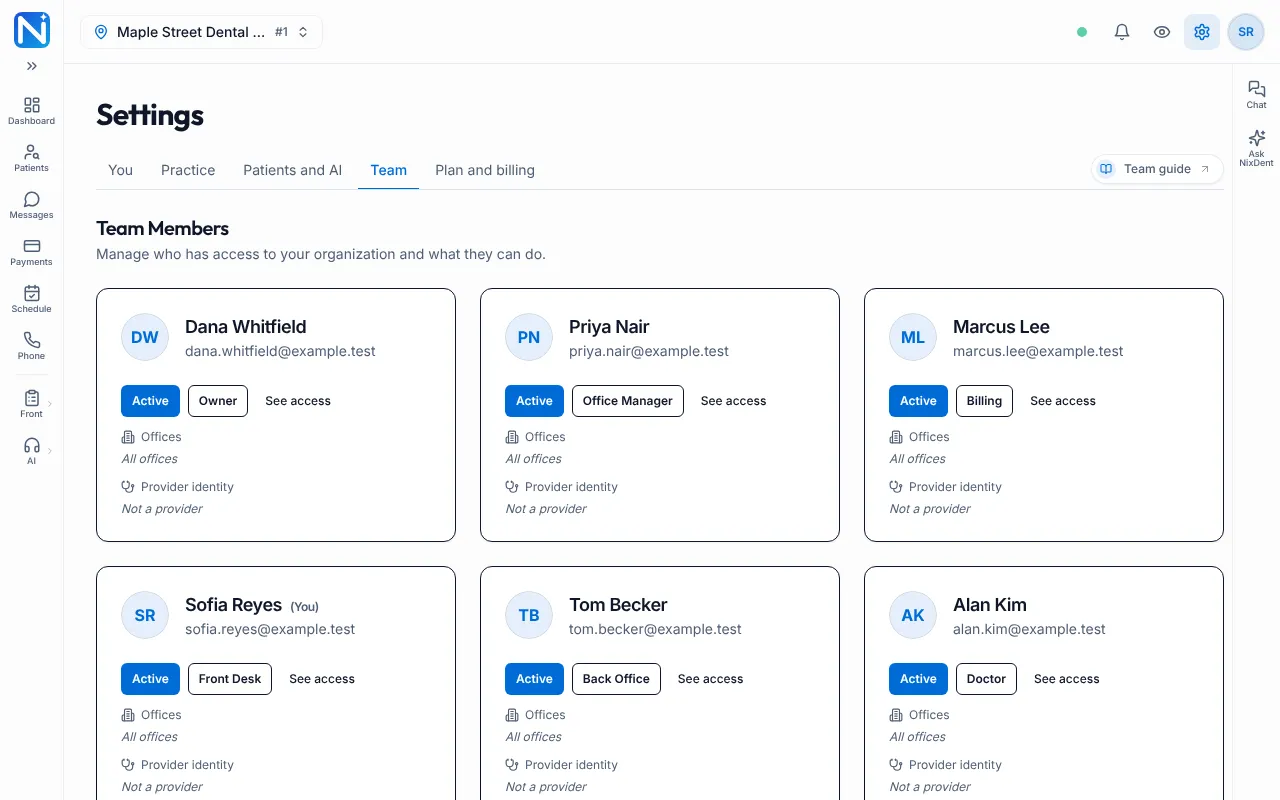

Roles and what they allow
A person can have more than one role. What they’re allowed to do is everything any of their roles allows.
| Role | For | Can do |
|---|---|---|
| Owner | The practice owner | Everything, including the NixDent subscription and transferring ownership. Can also sign clinical notes and record perio diagnoses |
| Office Manager | Runs the office | Everything except the subscription and ownership: team, office settings, what the AI knows, payments, clinical records, including signing notes and recording perio diagnoses |
| Billing | Billing staff | Take payments, refunds and voids, cards on file, see patients, see Analytics and Practice Reports. No clinical access, and can’t text or email patients |
| Front Desk | Reception | Scheduling and patients, text and email patients, present treatment plans, the full payment desk including refunds. No clinical access |
| Back Office | Assistants | Open clinical records, draft notes, present treatment plans. Can’t sign notes |
| Doctor | Dentists | Clinical records, write and sign notes, perio charting and diagnosis, treatment plans |
| Hygienist | Hygienists | Clinical records, write and sign notes, perio charting (not diagnosis) |
Analytics and Practice Reports (production, collections and appointment trends) are for Owners, Office Managers and Billing only. If a Front Desk person asks why they can’t see them, this is why.
Texting and emailing patients is for Owners, Office Managers and Front Desk. Sending completed forms to Open Dental is also for Owners, Office Managers and Front Desk. Doctors, Hygienists and Back Office can see patients and the schedule, but not payments or messaging.
Older accounts may show a Viewer (read-only) role. It can see patients and nothing else. It isn’t offered when you add people.
Ask NixDent is extra access you can switch on for anyone. It isn’t a job, so it’s added on top of a role. See Give someone Ask NixDent.
What each role can do, in detail
Section titled “What each role can do, in detail”A tick means the role can do it.
| Ability | Owner | Office Manager | Billing | Front Desk | Back Office | Doctor | Hygienist |
|---|---|---|---|---|---|---|---|
| Take payments | ✔ | ✔ | ✔ | ✔ | |||
| Refund or void | ✔ | ✔ | ✔ | ✔ | |||
| Add, update or delete a card on file | ✔ | ✔ | ✔ | ✔ | |||
| Charge a stored card | ✔ | ✔ | ✔ | ✔ | |||
| See patients and the schedule | ✔ | ✔ | ✔ | ✔ | ✔ | ✔ | ✔ |
| Open clinical records | ✔ | ✔ | ✔ | ✔ | ✔ | ||
| Write a clinical note | ✔ | ✔ | ✔ | ✔ | ✔ | ||
| Sign a clinical note | ✔ | ✔ | ✔ | ✔ | |||
| Record a perio exam (measurements) | ✔ | ✔ | ✔ | ✔ | |||
| Record a perio diagnosis | ✔ | ✔ | ✔ | ||||
| Present treatment plans | ✔ | ✔ | ✔ | ✔ | ✔ | ||
| Send texts, emails and broadcasts | ✔ | ✔ | ✔ | ||||
| Send completed forms into Open Dental | ✔ | ✔ | ✔ | ||||
| Add people, change roles | ✔ | ✔ | |||||
| Change office settings (hours, booking rules, AI) | ✔ | ✔ | |||||
| NixDent subscription and plan | ✔ | ||||||
| Ask NixDent | ✔ | ✔ | extra | extra | extra | extra | extra |
| Analytics and Practice Reports | ✔ | ✔ | ✔ |
“Extra” means the Owner or Office Manager can switch on Ask NixDent for that person. Doctors and hygienists don’t take payments. They walk the patient to the front desk. Back Office drafts notes, and Doctors and Hygienists sign them.
Change someone’s roles
Section titled “Change someone’s roles”Who can do this: Owners and Office Managers.
- Go to Settings → Team.
- On the person’s card, click Edit roles.
- Tick or untick roles, then click Save roles.
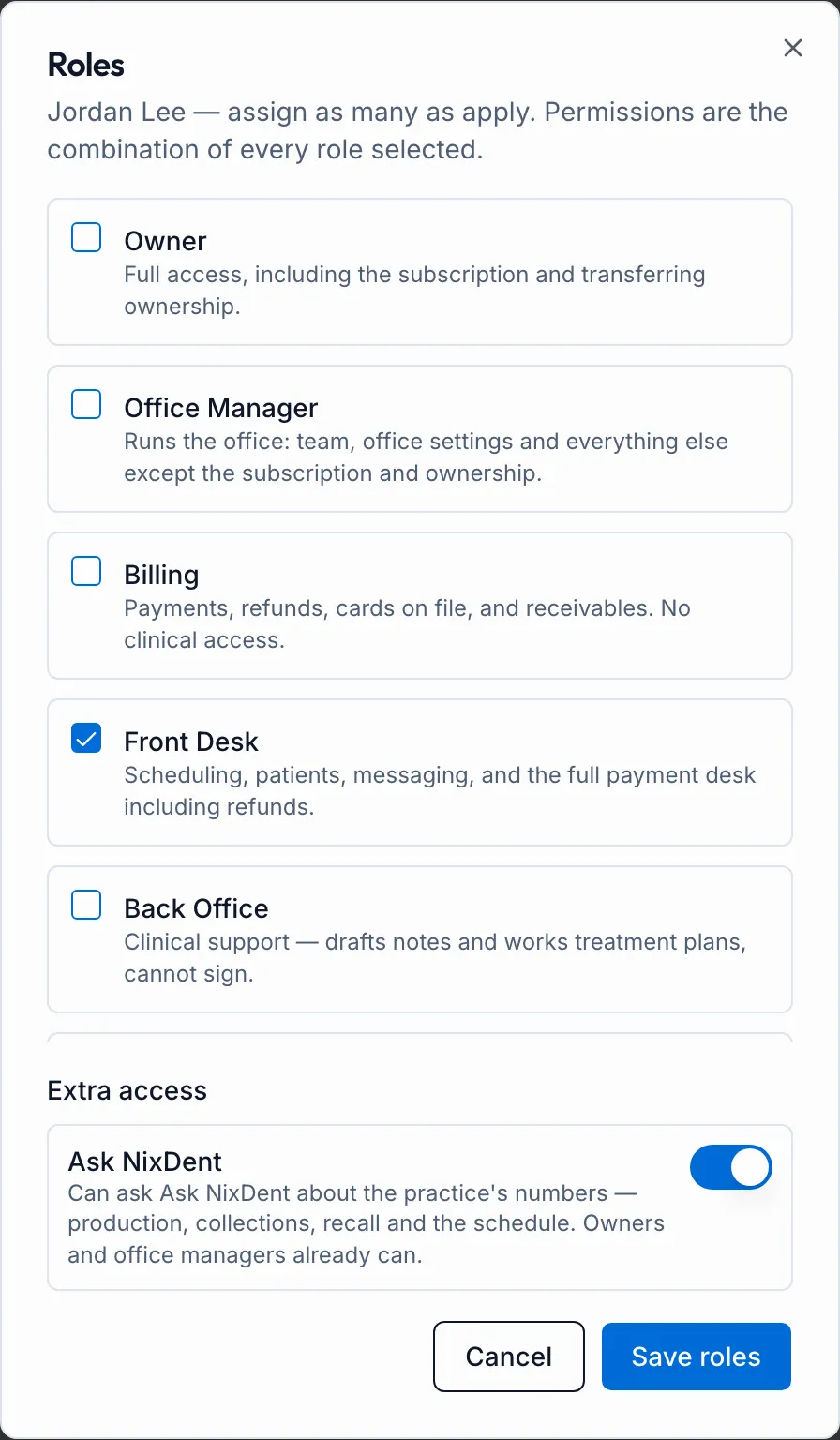
To see exactly what someone can and can’t do, click See access on their card.
Rules that keep things safe
Section titled “Rules that keep things safe”- You can’t change your own roles unless you’re an Owner. An Office Manager who needs a change asks the Owner.
- Everyone needs at least one job role. Ask NixDent alone isn’t enough.
- Only an Owner can make someone an Owner.
- On Edit roles, the Save roles button stays off until at least one role is ticked. The window says “Pick at least one role.”
- An Office Manager who tries to change an Owner, or tick Owner, sees “Only the practice owner can change ownership.”
The See access panel on a person’s card also has Edit roles, Change offices and Send password reset link buttons. A person without permission to manage the team sees only See access on each card.