

Give someone Ask NixDent
Ask NixDent answers questions about your practice in plain English. For example: “How did hygiene production compare to last month?” or “Who’s overdue for recall?”
Owners and Office Managers can use it already. You can switch it on for anyone else, such as a front desk lead, without giving them any other access. To learn how to use it, see Ask NixDent: ask about your practice.
Before you start
Section titled “Before you start”Three things have to be true for someone to get answers:
- Your plan includes Ask NixDent (Settings → Plan and billing).
- It’s switched on for the office: Settings → Practice → Offices, then the Ask NixDent switch. The switch only appears if your plan includes Ask NixDent.
- The person has the Ask NixDent role (or is an Owner or Office Manager).
Switch it on for a person
Section titled “Switch it on for a person”- Go to Settings → Team.
- On their card, click Edit roles.
- Under Extra access, turn on Ask NixDent.
- Click Save roles.
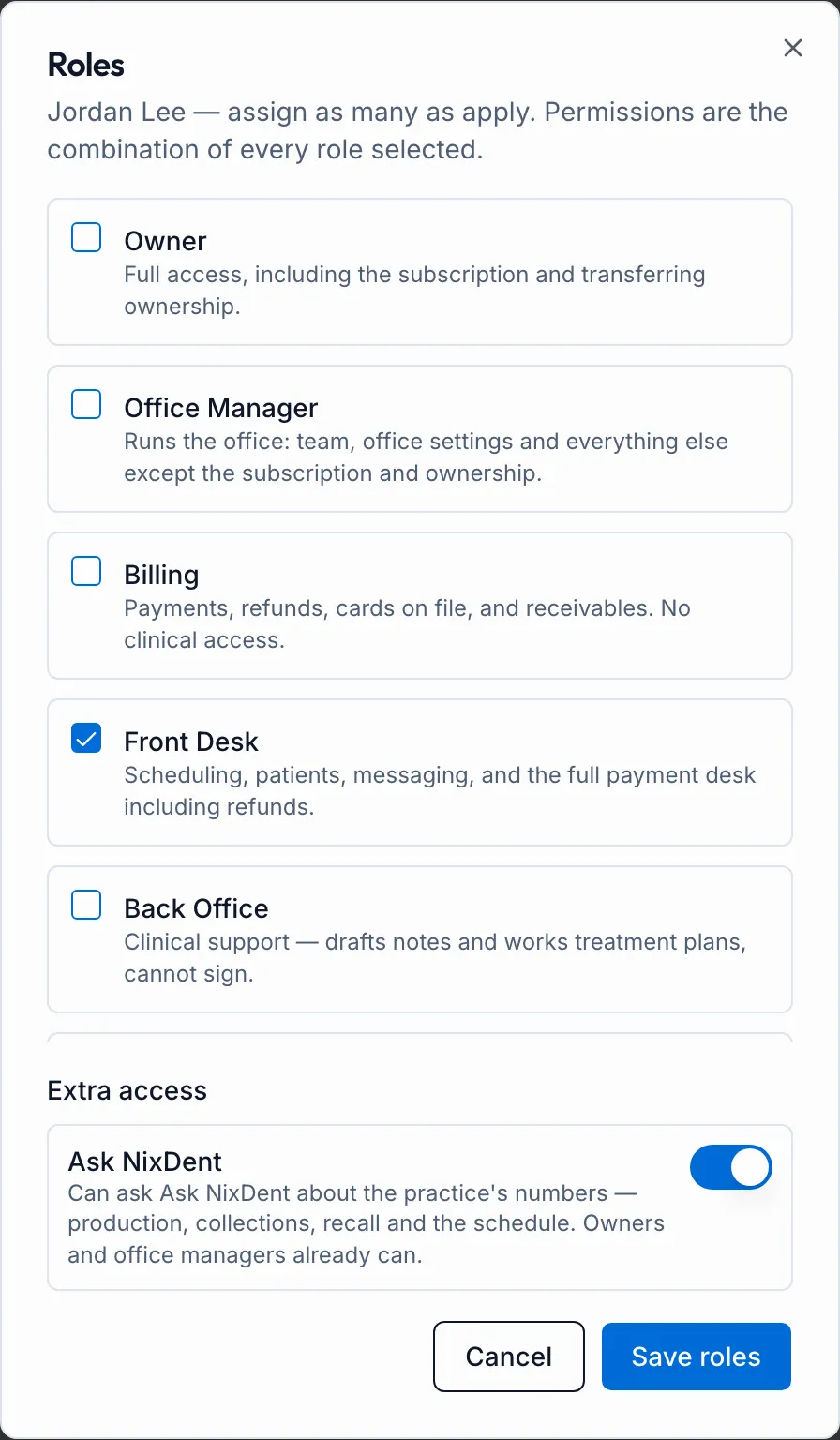
Their card now shows an Ask NixDent badge. They can use the Ask NixDent button on the right side of the screen (the top bar on a phone). If one of the three things above is missing, the panel tells them when they ask a question.
Ask NixDent only reads your data. It can save a patient list for a campaign, or draft an email and save it as a template in Broadcasts, but it never contacts anybody.
Each office has its own monthly allowance of Ask NixDent use. Conversations are deleted 72 hours after the last message, so switching it on for someone doesn’t create a record of their questions.